Results stuck in Google Forms
Google Forms and SurveyMonkey can grade a quiz, but the score never reaches Salesforce. Someone exports a sheet and re-keys who passed.
Salesforce quiz & assessment forms
Build a knowledge quiz, training assessment, or compliance test as a public TwinaForms form. Answers are auto-scored with formulas, pass/fail is decided on the spot, and every attempt — score, result, and answers — is written straight to Salesforce against the learner's Contact. No manual grading, no spreadsheet, no Salesforce login for the people taking it — and you build the whole quiz from a Salesforce page layout in one click.
The problem
Training, onboarding, compliance, and certification teams run quizzes all the time — but the results almost never end up where they belong: on the person's record in Salesforce.
Google Forms and SurveyMonkey can grade a quiz, but the score never reaches Salesforce. Someone exports a sheet and re-keys who passed.
For compliance and certification you need a durable, per-person record. A spreadsheet row is not an audit trail tied to the Contact.
Anonymous quiz links mean anyone can submit as anyone. For mandatory training, you need to know the right person actually took it.
A full LMS is heavy and expensive for a 10-question compliance check — and still needs wiring back into Salesforce.
The solution
TwinaForms is a native Salesforce form builder. Build the quiz once, share a public link, and each submission is graded by formula and written to Salesforce as a Quiz Attempt — tied to a verified Contact.
A Number formula totals the correct answers live — IF({q1}=="A",1,0)+IF({q2}=="C",1,0)+… — so the score is ready the moment they submit.
A second formula returns the result, e.g. IF(score >= 8, "Pass", "Fail"), and Conditional Logic shows the matching message.
Add User Verification so each learner confirms a one-time email code matched to their Salesforce Contact before the quiz opens.
Score, result, date, and each answer land on a Quiz Attempt record linked to the Contact — ready for reports, dashboards, and automation.
How it works
Each piece is a standard TwinaForms capability. A quiz is what happens when you combine them in one form.
Add each question as a Radio or Picklist field with the answer options. Mix in Display Text, images, and sections to lay out the quiz cleanly.
A Number formula field sums one point per correct answer with IF(), so the total score updates live as the learner answers.
A Text formula returns Pass or Fail against your threshold. A formula-driven Post-Submit Redirect can send passers to a certificate and others to a retry.
On submit, the score, result, and answers write to a Quiz Attempt object linked to the Contact — optionally with a Submission PDF attached.
Build it fast
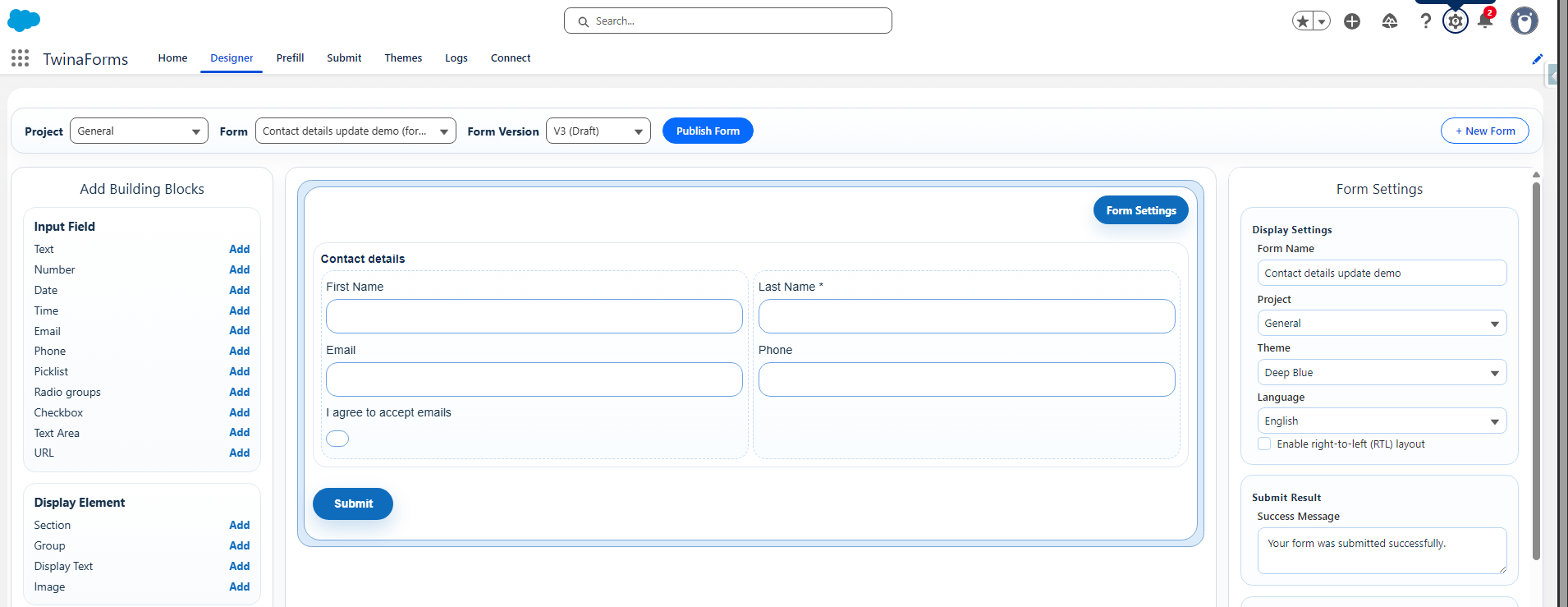
This is the part teams underestimate. You don't hand-build every question. Model the quiz as a custom Salesforce object, lay the questions out on a page layout, and let Page Layout to Form turn that layout into a working form — every question, in order, with prefill and submit wiring generated for you. Then add the scoring formula and publish. Hours of building become minutes.
Each question becomes a field — picklist or radio for the answer options — on a custom Quiz object, the same place the attempts will be stored.
Page Layout to Form reads the object's page layout and builds the whole quiz form for you, with prefill and submit actions wired to every field automatically.
Run it once per language: TwinaForms pulls translated object, section, and field labels from your Salesforce Translation Workbench — and Hebrew switches the form to RTL automatically. One object, a quiz in every language you maintain.
Drop in the Number formula that totals correct answers and the pass/fail Text formula, preview, and publish. The speed and consistency come from building once in Salesforce.
Native vs. add-on
Quiz builders score answers; the hard part is getting a trustworthy result onto the right Salesforce record. That's where native wins.
| TwinaForms (native) | Google Forms / SurveyMonkey | External form tool (e.g. FormAssembly) | |
|---|---|---|---|
| Writes the result to Salesforce | Native, to any object | No — manual export / re-key | Via connector / mapping |
| Auto-scoring | Formula fields, live | Built-in quiz mode | Calculations / rules |
| Identity tied to the Contact | User Verification by email | None | External auth / SF login |
| License to take the quiz | None for learners | None | Sometimes for SSO |
| Built & managed in | The Salesforce Designer | A separate Google/SM account | A separate vendor console |
Where teams use it
Check understanding after a module and log each score to the employee's Contact, so L&D can report completion and gaps.
Mandatory policy, safety, or regulatory quizzes with verified identity and a durable pass/fail record for audits.
Certify partners or customers on your product at scale — public link, no Salesforce seat, results on their Contact.
FAQ
Yes. Each question is a radio or picklist field, and a TwinaForms Number formula field adds up the correct answers as the user fills the form — for example IF({q1}=="A",1,0)+IF({q2}=="C",1,0). The computed score is read-only and is submitted to Salesforce along with the answers, so there is no manual grading.
A Text formula field returns the result by comparing the total to your passing threshold, e.g. IF(score >= 8, "Pass", "Fail"). You can also use Conditional Logic to reveal a different message block for pass vs. fail, and a formula-driven Post-Submit Redirect to send a passing learner to a certificate page and others to a retry page.
Yes. TwinaForms writes the submission to any standard or custom Salesforce object — typically a custom Quiz Attempt object linked to the learner's Contact, capturing the score, pass/fail, date, and each answer. From there your existing Salesforce reports, dashboards, and automations work out of the box.
Yes. Turn on User Verification so the learner must enter a one-time code sent to the email on their Salesforce Contact before the quiz opens. Every attempt is then tied to a confirmed identity — important for compliance, certification, and training records — with no Salesforce login or per-user license for the learner.
Google Forms and SurveyMonkey can score a quiz but do not write the result into Salesforce — someone re-keys it, and there is no link to the Contact. FormAssembly connects to Salesforce but is an external form platform, so scoring and routing are built outside your org. TwinaForms is a native Salesforce app: the quiz is built in Salesforce, scored by formulas, identity-verified against the Contact record, and the Quiz Attempt is written straight to Salesforce — no connector to maintain and no per-user license for the people taking the quiz.
Yes. Each submission creates a new Quiz Attempt record, so retakes are tracked over time. Using a formula-driven Post-Submit Redirect, a passing learner can be sent to a certificate or confirmation page while a failing learner is routed to a retry, and a Submission PDF can attach a record of the attempt to Salesforce.
No. The quiz is a public form. Learners never log in to Salesforce and never consume a Salesforce license — they simply open the link, optionally verify by email code, take the quiz, and submit. This makes it practical for large training, partner, and customer audiences.
Very fast. Model the quiz as a custom Salesforce object, lay the questions out on a page layout, and use Page Layout to Form to generate the whole form in one click — every question in order, with the prefill and submit actions wired automatically. Then add the scoring formula and publish. What would be hours of hand-building becomes minutes.
Yes. Because the quiz is generated from a Salesforce object's page layout, you can run Page Layout to Form once per language. When you choose a non-English form language, TwinaForms pulls translated object, section, and field labels from your Salesforce Translation Workbench, and Hebrew is set to right-to-left automatically. One object becomes a quiz in every language you maintain.
Ready to grade automatically
Formula scoring, conditional results, and Salesforce writeback are TwinaForms Pro features; User Verification is included from Starter. Install into a sandbox and build a scored quiz end-to-end in an afternoon. Nonprofit discount available.